
Empower Modern Classrooms with Professional Wacom Tablet Education Solutions
In today's digitally-driven educational landscape, interactive and engaging tools are paramount for effective knowledge transfer. Wacom tablet education solutions bridge the gap between traditional teaching methods and modern digital fluency. Our specialized range of Wacom tablets and pen displays is engineered to enhance pedagogy, foster creativity, and streamline administrative tasks for educational institutions worldwide. From K-12 to higher education and professional training, our solutions provide a reliable, intuitive platform for educators and students to collaborate, create, and communicate with unparalleled precision.
Product Overview
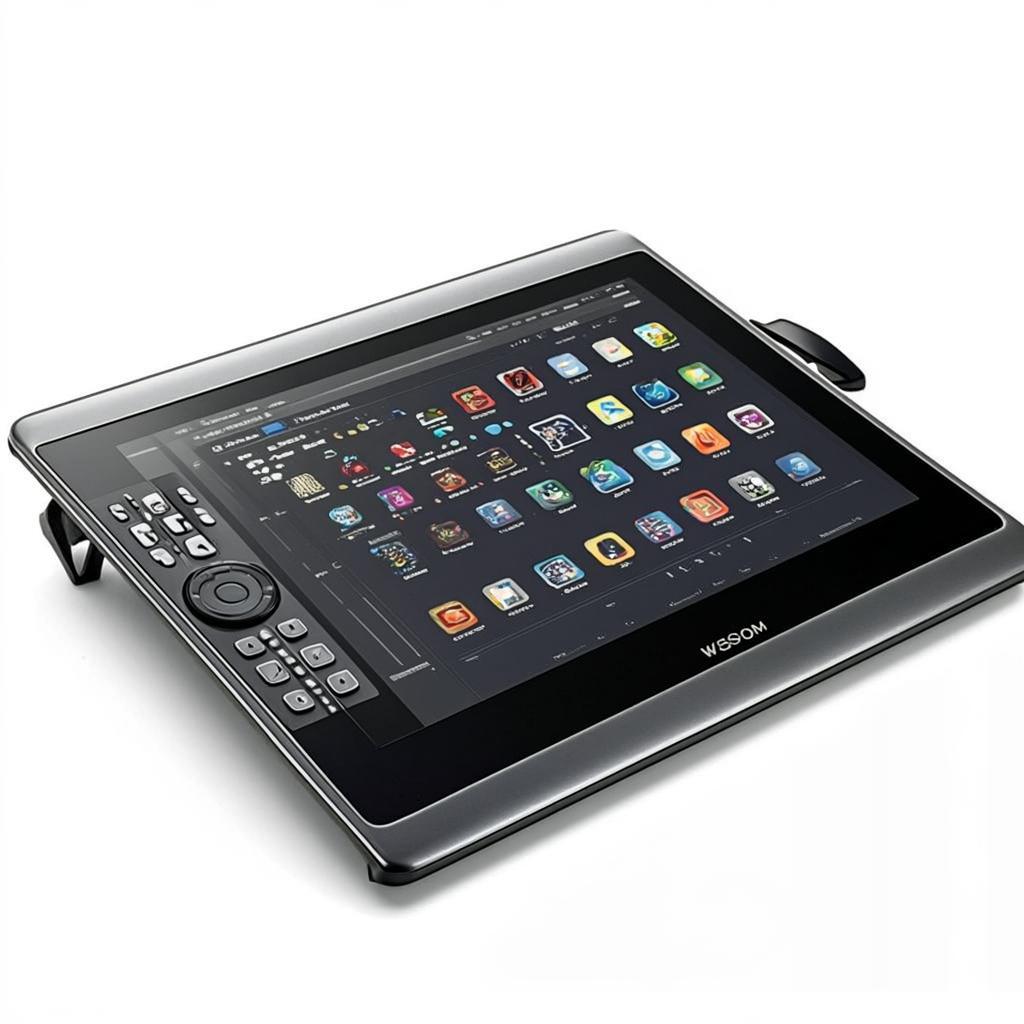
Our curated Wacom tablet education portfolio features robust, classroom-ready devices designed to withstand the rigors of daily academic use. We offer a spectrum of solutions, from entry-level pen tablets perfect for introducing digital tools to students, to advanced pen displays that transform any lesson into an immersive, interactive experience. These devices are more than just hardware; they are gateways to a suite of educational software, enabling annotation, diagramming, digital art, STEM instruction, and remote teaching. By integrating Wacom's industry-leading pen technology, we provide a natural writing and drawing experience that feels intuitive for both educators and learners, reducing the learning curve and maximizing instructional time.
Key Features of Our Wacom Education Tablets
- Pressure-Sensitive EMR Pen: A battery-free, precise pen with thousands of levels of pressure sensitivity for natural writing, sketching, and highlighting, mimicking the feel of pen on paper.
- Durable, Classroom-Tested Design: Built with reinforced materials and components tested for longevity, ensuring reliability in high-traffic educational environments.
- Seamless Software Integration: Optimized compatibility with leading educational and creative software platforms, including Microsoft Office, Google Classroom, Zoom, Adobe Creative Suite, and specialized STEM applications.
- Enhanced Digital Inking & Annotation: Empower educators to mark up documents, presentations, and PDFs in real-time, whether in-person or during virtual lessons, fostering dynamic instruction.
- Multi-Platform Connectivity: Easy plug-and-play setup with Windows, macOS, and Chrome OS devices, offering flexibility across existing school IT infrastructure.
- Centralized Management Support: Devices support IT management protocols for easy deployment, maintenance, and security within institutional networks.
Technical Specifications
| Model Series | Active Area | Pen Technology | Pressure Levels | Connectivity | Best For |
|---|---|---|---|---|---|
| One by Wacom (Education) | Small / Medium | EMR | 4,096 | USB-A | Student Labs, Introductory Digital Skills |
| Wacom Intuos | Small / Medium | EMR | 4,096 | USB-C / Bluetooth | Educator Stations, Design & Media Courses |
| Wacom Cintiq 16 | 15.6-inch Display | Pro Pen 2 | 8,192 | HDMI + USB | Advanced Art, Animation, & STEM Visualization |
| Wacom MobileStudio Pro | 13.3" / 15.6" Display | Pro Pen 2 | 8,192 | Full Computer Unit | Specialized Labs, On-the-Go Instruction |
Application Scenarios in Education
The versatility of Wacom tablet education tools unlocks potential across all disciplines:
- General & Remote Teaching: Annotate directly on slides, solve math problems live, and provide visual feedback on student work during in-class or distance learning sessions.
- STEM Education: Illustrate complex scientific concepts, diagram engineering processes, and visualize mathematical models with precise digital ink.
- Creative Arts & Design: Provide the gold standard for digital art, graphic design, photography, and animation courses, giving students professional-grade creative tools.
- Special Education: Offer an alternative, low-pressure input method that can aid students with different learning styles and physical needs.
- Administration & Planning: Use for digital paperwork, lesson planning, and creating engaging instructional materials.
Advantages for Educational Institutions
Investing in a dedicated Wacom tablet education ecosystem delivers measurable institutional benefits:
- Improved Student Engagement: Interactive and visual lessons capture attention and improve information retention.
- Future-Ready Skill Development: Equips students with hands-on experience using industry-standard technology, enhancing their digital literacy and employability.
- Pedagogical Flexibility: Supports diverse teaching methodologies, from lecture-based instruction to project-based and collaborative learning.
- Cost-Effective Digitization: A scalable tool that enhances existing computers and software without requiring a full-scale hardware overhaul.
- Reduced Environmental Footprint: Minimizes reliance on paper, ink, and other physical consumables, supporting sustainability initiatives.
Why Choose Us as Your Wacom Education Partner
We are more than a distributor; we are a strategic partner dedicated to the success of your Wacom tablet education initiative.
- Education-Specific Expertise: Our team understands the unique procurement, deployment, and IT challenges faced by schools and universities.
- Volume Licensing & Institutional Pricing: We offer competitive, structured pricing models tailored for educational budgets and large-scale deployments.
- Comprehensive Support Package: Benefit from extended warranties, dedicated account management, and access to educational resources and lesson plans.
- Global Logistics & Compliance: We ensure reliable, timely delivery and handle all necessary certifications for international educational shipments.
- Professional Development Resources: We provide guidance and materials to help your faculty integrate Wacom technology effectively into their curriculum.
Frequently Asked Questions (FAQ)
Q1: Are Wacom tablets difficult for teachers and students to learn?
A: Not at all. Wacom's pen technology is designed to be intuitive. The pen works naturally like a pencil or marker, with no batteries required. Most users become comfortable with basic annotation and navigation within minutes. We also provide getting-started guides and tutorial resources.
Q2: Can these tablets be used with Google Classroom and video conferencing apps?
A: Yes, absolutely. Wacom tablets function as a standard HID (Human Interface Device). They work seamlessly with Google Classroom, Zoom, Microsoft Teams, and other popular platforms for annotation and whiteboarding during live sessions or when reviewing assignments.
Q3: Do you offer solutions for managing a fleet of tablets in a school?
A: Yes. Many of our Wacom tablet education models are designed with institutional use in mind. They can be integrated into standard device management systems, and we can advise on best practices for deployment, security, and maintenance across computer labs and classrooms.
Q4: What is the typical lifespan of a Wacom tablet in a classroom setting?
A: Wacom products are renowned for their durability. In an educational environment with proper care, you can expect a functional lifespan of 5+ years. The pens are particularly robust, and we offer replacement tips and pens as consumable items.
Q5: How do I determine the right model and quantity for our institution?
A: Our education specialists can help you assess your needs based on grade levels, subjects, IT infrastructure, and budget. We recommend starting with a pilot program for a specific department or lab to evaluate impact before a wider rollout.
Contact our education team today to request a customized quote, schedule a virtual product demonstration, or discuss how a strategic Wacom tablet education deployment can transform teaching and learning at your institution.