
Empower Every Classroom: The Definitive Educator Tablet for Modern Learning
In today's dynamic educational landscape, the right technology is not just a tool—it's a gateway to engagement, collaboration, and personalized instruction. Designed specifically for the demands of K-12 and higher education environments, our Educator Pro Tablet redefines what institutions should expect from classroom technology. It consolidates lesson planning, interactive teaching, student assessment, and digital resource management into a single, robust, and intuitive device, establishing a new benchmark as one of the best tablets for educators available for institutional procurement.
Product Overview
The Educator Pro Tablet is a purpose-built hardware and software solution engineered to withstand the rigors of daily classroom use while delivering exceptional performance. It moves beyond consumer-grade devices by integrating essential educational features directly into its ecosystem. From its reinforced chassis to its classroom management suite, every aspect is optimized to support teachers in creating immersive learning experiences and administrators in deploying scalable, manageable technology fleets. This tablet isn't just a device; it's a comprehensive partner in the mission to educate.
Key Features
- Multi-User Management & Instant Profiles: Securely switch between teacher, student, and administrator profiles on a single device. Teachers can instantly launch a pre-configured classroom environment, while students access a controlled, task-specific interface.
- Integrated Classroom Orchestrator Software: Built-in suite allows teachers to distribute materials, monitor student screens in real-time, launch applications, conduct polls, and manage device focus—all from their own tablet.
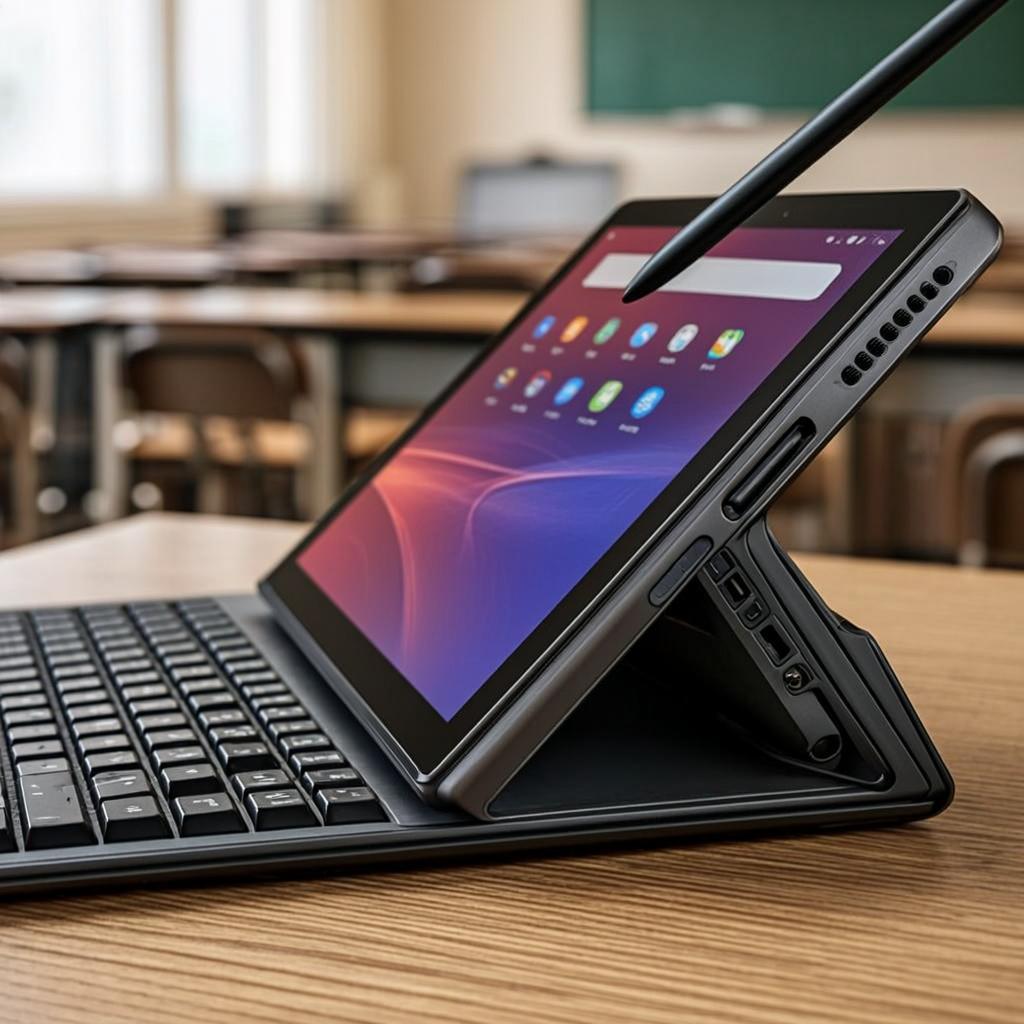
- Dual-Mode Touch & Active Stylus Support: Features a highly responsive 10-point touch screen paired with a pressure-sensitive active stylus (included) for natural writing, diagramming, and annotating directly on presentations, PDFs, and creative apps.
- Enhanced Durability & Hygiene: Meets MIL-STD-810H standards for shock and vibration. The screen features a shatter-resistant coating, and the housing incorporates an antimicrobial treatment to inhibit the growth of microbes on high-contact surfaces.
- Long-Lasting Battery & Rapid Deployment Cart Compatibility: A 12-hour battery ensures all-day learning, while standardized charging pins allow for seamless docking in bulk charging and syncing carts, simplifying IT management for schools.
Technical Specifications
| Category | Specification |
|---|---|
| Display | 10.8" IPS LCD, 2560 x 1600 Resolution, 500 nits brightness, Anti-glare coating |
| Processor & Memory | Octa-core Performance Platform, 6GB RAM, 128GB UFS Storage (expandable via microSD) |
| Operating System | Customized Education OS (Android-based) with guaranteed 5-year security update policy |
| Connectivity | Wi-Fi 6, Bluetooth 5.2, USB-C 3.1, Optional 4G/LTE |
| Audio & Video | 8MP front-facing camera with wide-angle lens, 13MP rear camera, Dual noise-canceling speakers, Quad-array microphones |
| Durability | MIL-STD-810H compliant, Corning® Gorilla® Glass, Antimicrobial housing |
| Battery & Charging | 8000mAh (Up to 12 hours), Supports fast charging and pogo-pin docking |
| Included Accessories | Active Stylus, Protective Case, USB-C Charger |
Application Scenarios
The versatility of the Educator Pro Tablet makes it a cornerstone for various instructional models:
- Interactive Direct Instruction: Teachers annotate live on digital worksheets, solve equations step-by-step, and highlight key text in e-books, projecting their tablet screen to the class.
- Collaborative Group Work: Students use split-screen functionality and shared digital whiteboards to brainstorm, create presentations, and work on projects together.
- Formative Assessment & Feedback: Educators launch quick quizzes, receive instant analytics on student understanding, and provide audio or handwritten feedback directly on submitted assignments.
- Special Education & Differentiation: Leverage built-in accessibility features like text-to-speech, magnification, and customizable interfaces to support diverse learner needs.
- Remote & Hybrid Learning: The high-quality front camera and microphones make it an excellent hub for video conferencing, while screen-sharing capabilities keep remote students engaged.
Advantages Over Consumer Tablets
Choosing a dedicated educational device over repurposed consumer tablets offers significant institutional benefits:
- Total Cost of Ownership (TCO): Longer software support, superior durability reducing breakage rates, and bulk management tools lower long-term IT costs.
- Centralized Management: Integrate seamlessly with MDM (Mobile Device Management) solutions like Google Admin Console or Hexnode for one-click app deployment, policy setting, and device tracking.
- Minimized Distractions: The education-focused OS allows administrators to lock down devices to a curated list of learning apps and websites, keeping students on task.
- Pedagogy-First Design: Features are developed in consultation with educators, ensuring they solve real classroom challenges rather than being mere technical add-ons.
Why Choose Our Solution for Your Institution?
We are more than a hardware vendor; we are an educational technology partner. Our commitment to the sector is demonstrated through:
- Bulk & Customized Procurement Programs: Flexible pricing, branding options, and bundle deals (with carts, software licenses, and insurance) tailored for district-wide rollouts.
- Dedicated Educational Support: Access to a support team trained in educational IT environments, with 24/7 critical issue response and next-business-day advanced replacement service.
- Professional Development Resources: We provide comprehensive onboarding materials, lesson plan ideas, and live webinar training to ensure your teachers achieve maximum ROI from day one.
- Future-Proof Investment: Our extended software update guarantee ensures your fleet remains secure and compatible with new educational applications for years, protecting your investment.
For procurement officers and IT directors seeking reliable, scalable, and effective technology, this tablet provides a compelling answer, solidifying its position as a top-tier choice among the best tablets for educators on the market.
Frequently Asked Questions (FAQ)
Q1: How does your tablet compare to other well-known brands in education?
A: While other brands offer capable hardware, our solution is differentiated by its deeply integrated, built-in classroom management software, its exceptional durability features like antimicrobial housing, and our focus on long-term TCO through extended software support and institutional management tools. We provide a holistic ecosystem, not just a device.
Q2: Can these tablets integrate with our existing Learning Management System (LMS)?
A: Absolutely. The Educator Pro Tablet supports single sign-on (SSO) and is fully compatible with major LMS platforms like Google Classroom, Canvas, Schoology, and Microsoft Teams. Our OS allows for easy placement of LMS shortcuts and widgets on the home screen for immediate access.
Q3: What is your warranty and repair policy for large-scale deployments?
A: We offer a standard 3-year manufacturer warranty, extendable to 5 years. For institutional clients, we provide an Advanced Replacement Service, where we ship a replacement unit immediately upon receiving a fault report, minimizing classroom downtime. We also offer competitive accidental damage protection plans.
Q4: Are the devices ready to use out of the box for our teachers and students?
A: Yes, through our White Glove Deployment Service. We can pre-configure your entire order with your network settings, required applications, student rosters, and security policies before shipping. Devices can be delivered directly to your schools, ready to be unboxed and used immediately in the classroom.
Q5: Why is a dedicated education OS better than a standard Android or iOS tablet?
A: A dedicated education OS prioritizes control, security, and focus. It removes access to consumer app stores and non-educational content by default, provides granular tools for teachers to guide lessons, and simplifies the interface for younger students. This reduces IT overhead and ensures the technology serves pedagogical goals rather than becoming a distraction.