
Empowering Classrooms: The Definitive Android Tablet for Modern Education
In the evolving landscape of digital learning, equipping students and educators with the right tools is paramount. Our flagship educational tablet is engineered from the ground up to meet the rigorous demands of modern classrooms, libraries, and remote learning environments. More than just a device, it is a comprehensive learning solution designed to enhance engagement, simplify classroom management, and provide a durable, high-performance platform for educational content. This product stands as a strong contender for the title of the best android tablet for education, blending robust hardware with specialized software to create an unparalleled teaching and learning aid.
Product Overview
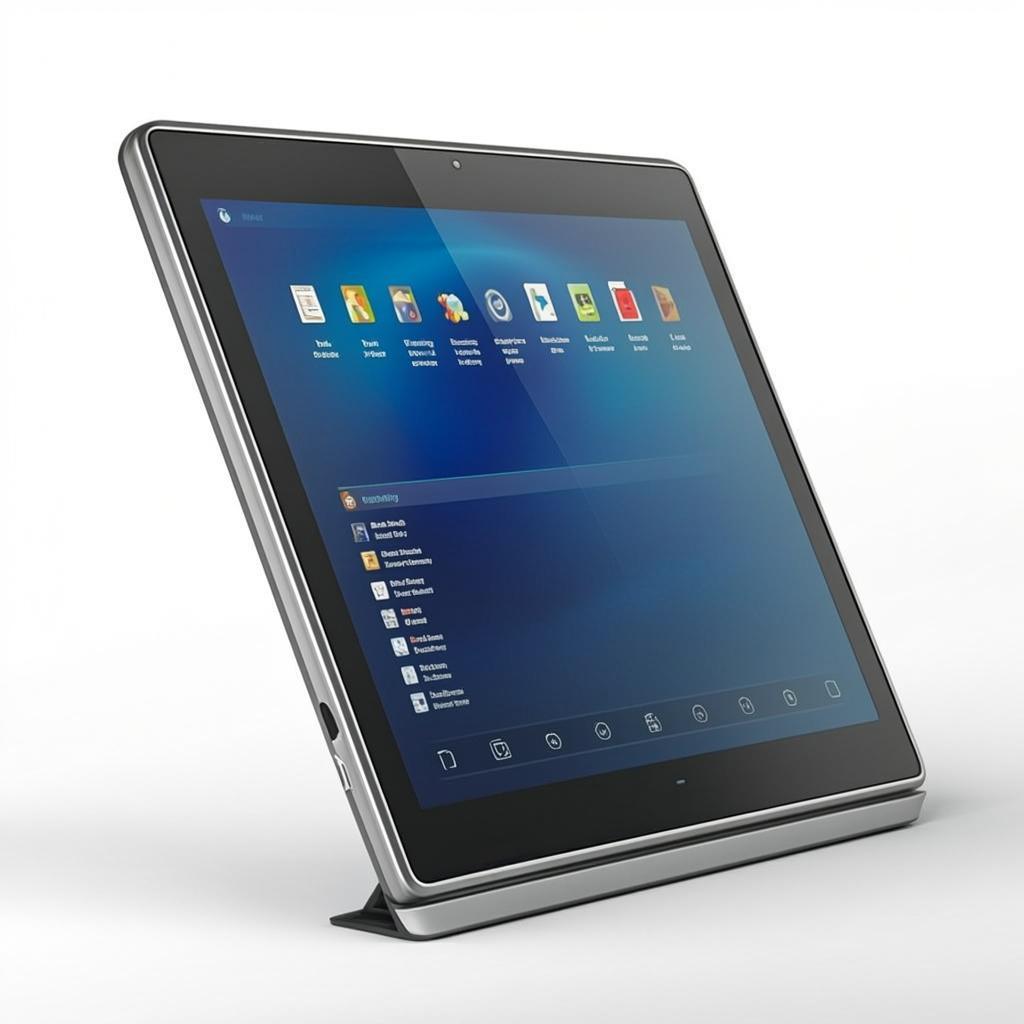
This 10.1-inch Android tablet is purpose-built for the education sector. It features a ruggedized design to withstand daily student use, a high-capacity battery for all-day learning, and a suite of pre-installed educational software. Its core strength lies in its seamless integration with leading Mobile Device Management (MDM) solutions, allowing IT administrators and teachers to easily deploy, monitor, and control a fleet of devices. From distributing assignments to restricting access during tests, this tablet transforms into a secure, focused learning terminal, making it an ideal choice for schools and educational institutions seeking a reliable, scalable technology solution.
Key Features
- Military-Grade Durability: Encased in a shock-absorbent bumper with reinforced corners, the tablet survives drops and bumps common in active classroom settings.
- Enhanced Eye Protection: A TÜV-certified blue light filter and flicker-free display reduce eye strain during prolonged use, supporting student well-being.
- Centralized Device Management: Compatible with major MDM platforms (e.g., Hexnode, SureMDM) for bulk configuration, app whitelisting, and remote screen monitoring.
- Multi-User & Kiosk Mode: Supports secure, separate profiles for different students or classes. Kiosk Mode locks the device to a single app for focused testing or activities.
- Long-Lasting Battery & Fast Charging: A 7000mAh battery supports up to 10 hours of active use, with USB-C fast charging to minimize downtime.
- Rich Connectivity: Dual-band Wi-Fi, Bluetooth 5.0, and optional 4G LTE ensure reliable connectivity anywhere on campus or at home.
Technical Specifications
| Category | Specification |
|---|---|
| Display | 10.1" IPS, 1920x1200 (FHD), TÜV Low Blue Light Certified |
| Processor | Octa-core CPU (up to 2.0GHz) |
| Memory & Storage | 4GB RAM, 64GB eMMC (expandable via microSD up to 256GB) |
| Operating System | Android 12 (with guaranteed upgrade path) |
| Battery | 7000mAh, up to 10 hours; USB-C Fast Charging |
| Durability | MIL-STD-810G compliant; Shockproof bumper included |
| Cameras | 8MP Rear, 5MP Front (with privacy shutter) |
| Connectivity | Dual-band Wi-Fi, Bluetooth 5.0, Optional 4G LTE, GPS |
| Management | Android Enterprise Recommended, EMM/MDM ready |
Application Scenarios
This versatile tablet serves as a cornerstone for various educational frameworks:
- 1:1 Learning Initiatives: Provides each student with a personal device for accessing digital textbooks, educational apps, and cloud-based assignments.
- Interactive Classrooms: Used with interactive whiteboards for polls, quizzes, and collaborative projects, fostering active participation.
- Standardized Testing & Assessments: Secure Kiosk Mode ensures a locked-down environment for digital exams, preventing distractions and cheating.
- Special Education & Personalized Learning: Supports assistive technologies and customizable apps to cater to diverse learning needs and paces.
- School Library & Media Centers: Serves as a portable research station for accessing digital catalogs, e-books, and online databases.
Advantages
Choosing this tablet delivers distinct benefits for educational institutions:
- Lower Total Cost of Ownership (TCO): Exceptional durability reduces breakage rates and repair costs, while long-term software support extends the device lifecycle.
- Simplified IT Management: Streamlines deployment and ongoing management of hundreds of devices from a single dashboard, saving valuable IT resources.
- Future-Proof Investment: Regular Android security updates and feature upgrades ensure the device remains compatible with the latest educational software.
- Promotes Digital Equity: A consistent, reliable device for all students helps bridge the digital divide, ensuring equal access to learning resources.
Why Choose Us
As a specialist in educational technology, we go beyond simply supplying hardware. We partner with schools and districts to ensure successful implementation.
- B2B & Bulk Order Expertise: Customized pricing, volume discounts, and flexible shipping options for large-scale deployments.
- Dedicated Educational Support: Our team understands classroom challenges and provides tailored pre- and post-sales support, including MDM setup guidance.
- Comprehensive Warranty & Service Plans: We offer extended warranties and affordable, rapid-replacement service plans to minimize disruption.
- Proven Track Record: Our solutions are trusted by schools and educational institutions worldwide, a testament to their reliability and effectiveness as the best android tablet for education.
FAQ
Q1: How do you manage and control these tablets in a school setting?
A: The tablets are fully compatible with Android Enterprise and major EMM/MDM software. This allows IT staff to enroll devices in bulk, push necessary educational apps, configure Wi-Fi settings, apply security policies, and even lock screens to specific applications for test-taking—all remotely.
Q2: What is the typical lifespan of the tablet, and what about software updates?
A: With its durable build and our commitment to software support, institutions can expect a functional lifespan of 4-5 years. We provide guaranteed Android OS security updates for a minimum of 3 years from launch, ensuring protection against vulnerabilities.
Q3: Can the tablet be used offline?
A: Absolutely. Many educational apps, e-books, and downloaded resources can be used without an internet connection. Assignments can be completed offline and synced once connectivity is restored, making it perfect for varying school and home environments.
Q4: Do you offer custom branding or pre-loading of specific apps?
A: Yes, for large-volume orders, we offer OEM services including custom boot logos, wallpapers, and the pre-installation of your institution's chosen suite of applications and learning management system (LMS) clients before shipment.
Q5: Why is this considered a top choice for an educational tablet over a consumer-grade iPad or Android tablet?
A: Consumer tablets lack the centralized management, rugged design, and long-term enterprise-grade software support required for institutional use. Our tablet is engineered specifically for education: it's easier to manage at scale, far more durable, and offers features like multi-user modes and kiosk locking that are essential for classroom control, solidifying its position as a practical and robust best android tablet for education.